
Download DBF Converter – DBF, convert, database, Excel, CSV, XML, tool, utility, productivity, smartphone
Overview
DBF Converter is a mobile utility application designed to address the persistent challenge of data interoperability, particularly for users working with legacy database formats. The app specializes in converting DBF files—commonly used in older database systems such as Clipper, FoxPro, and dBase—into modern, widely supported formats including Excel, CSV, XML, SQL, SDF, HTML, and PRG. This functionality enables users to extract, analyze, and share data across platforms without requiring desktop software or specialized knowledge of database engines. The app is particularly valuable for professionals managing historical datasets, such as those in finance, logistics, or government sectors, where data migration from outdated systems remains a frequent necessity.
Target users include data analysts, database administrators, and technical professionals who regularly interact with DBF files but lack access to full-featured desktop tools. While the app is described as user-friendly, its full utility depends on a foundational understanding of database structures and file formats. The application supports data files under 2GB, ensuring compatibility with most standard legacy datasets. Despite its narrow focus, DBF Converter fills a critical niche in the mobile productivity ecosystem by bringing essential database conversion capabilities to smartphones and tablets. The developer did not provide additional technical details about the app’s architecture or underlying parsing engine.
Key Features & Functionality
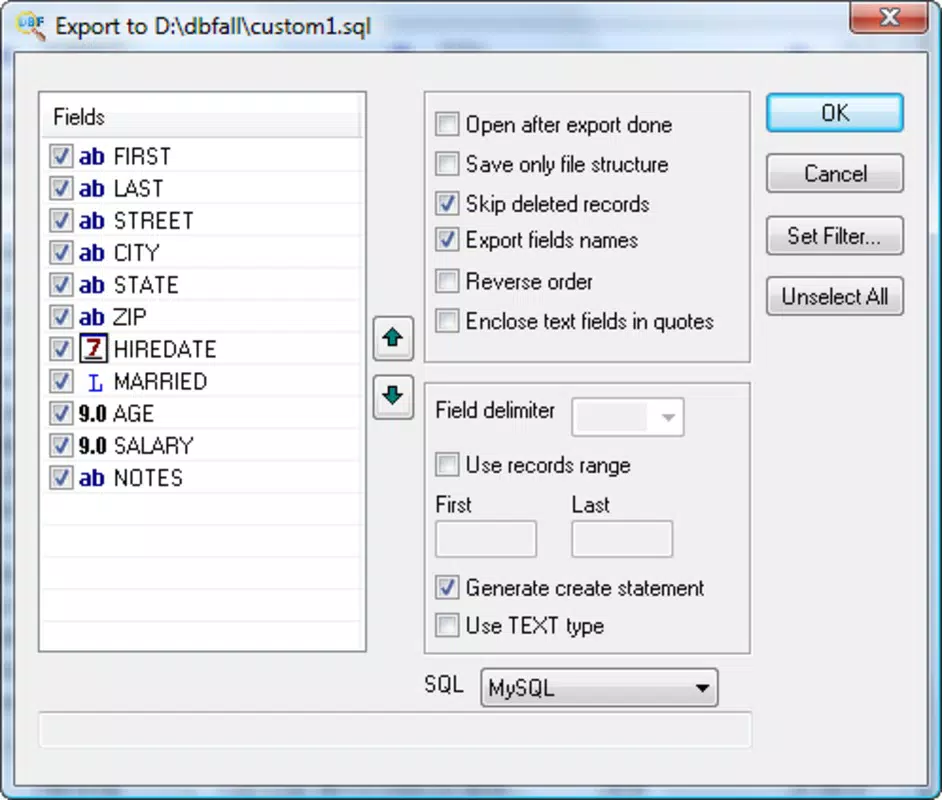
- Multiple Format Support: DBF Converter enables the conversion of DBF files into Excel, CSV, TXT, SQL, SDF, XML, HTML, and PRG formats. This versatility ensures that data can be seamlessly integrated into modern workflows, whether for reporting, analysis, or archival purposes.
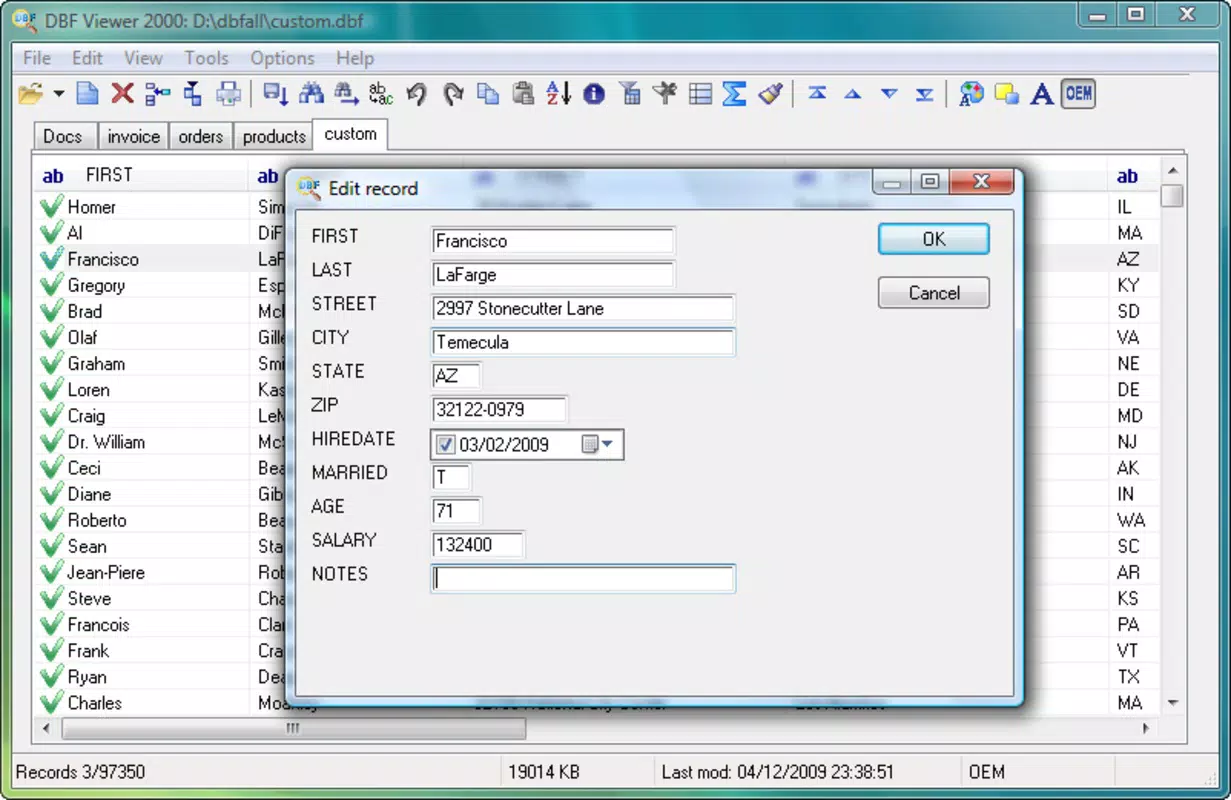
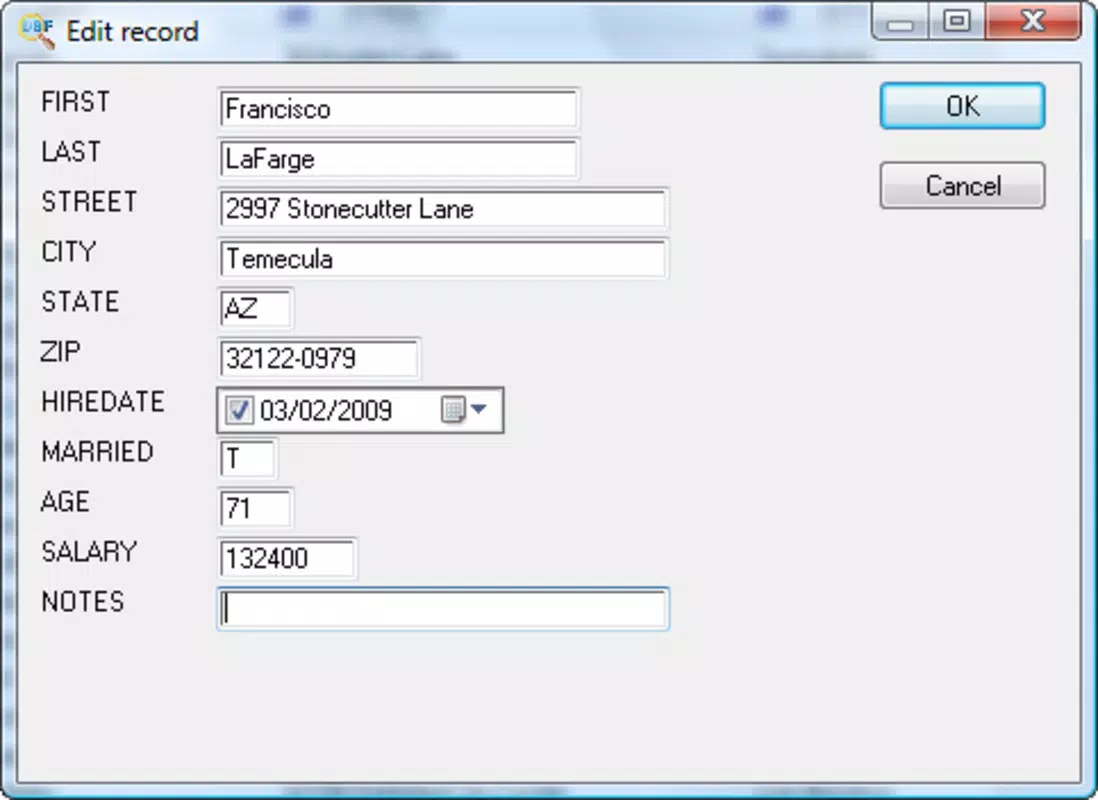
- Data Editing Capabilities: Users can modify field values, replace columns, and recover corrupted or lost data during the conversion process. This functionality supports data cleaning and validation, which is essential when preparing legacy data for use in contemporary systems.
- Password Protection: The app allows users to secure specific sections of a converted file with password protection. This feature enhances data privacy, especially when sharing sensitive information across teams or devices.
- Intuitive User Interface: Designed with usability in mind, the interface simplifies navigation through complex conversion tasks. Even users with limited technical experience can initiate conversions with minimal setup.
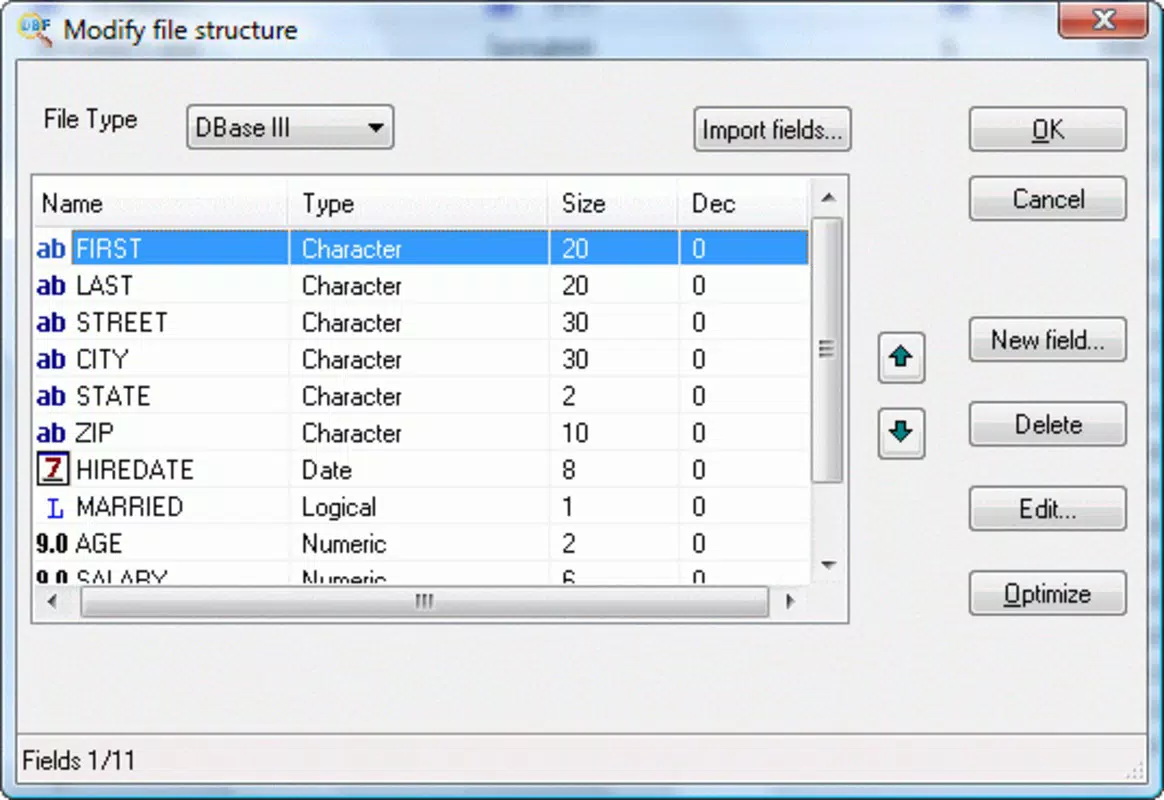
- Complex Functionality: While powerful, the app requires a solid grasp of database principles to use effectively. Users must understand field types, encoding, and file structure to avoid errors during conversion.
For example, a logistics manager might use the app to convert a 2005 FoxPro database into CSV format for import into a current analytics platform. Similarly, a government clerk could extract data from a dBase file and export it as Excel for public reporting. These real-world scenarios highlight the app’s practical value in bridging the gap between outdated and modern data systems.
Interface, UX & Performance
The interface of DBF Converter is structured around a clean, task-oriented layout that prioritizes accessibility. Users are guided through a step-by-step process: selecting the source DBF file, choosing the target format, and initiating the conversion. Navigation is consistent across screens, minimizing user confusion. Visual cues such as progress indicators and confirmation messages enhance the overall experience, particularly during longer processing tasks.
Although the developer did not list formal performance metrics, the app’s lightweight design—3.0 MB in size—suggests efficient resource usage. It is likely optimized for a range of Android devices, from entry-level smartphones to mid-tier tablets. Responsiveness appears adequate for file sizes under 2GB, though performance may vary depending on device hardware and file complexity. Stability during conversion has not been independently verified, but the app’s long-standing presence on the platform indicates consistent functionality. The developer did not specify minimum OS requirements or compatibility details for newer Android versions.
Platform Compatibility & Technical Requirements
DBF Converter is available exclusively on the Android platform. The current version is 1.0, with a file size of 3.0 MB. The app is free to download and use, with no in-app purchases or subscription models reported. The developer did not specify minimum operating system requirements, making it unclear whether the app supports Android 5.0 and above, or if it is compatible with devices running older versions.
Compatibility information was not fully disclosed. Users should verify whether their device meets the necessary system conditions before installation. The app’s small footprint suggests broad compatibility across various Android devices, but this remains unconfirmed. No information was provided about supported file encoding types or handling of encrypted DBF files. The developer did not list any specific hardware requirements or background processing behavior.
Pros and Cons
Pros
- Supports multiple output formats, enhancing data portability
- Enables conversion of legacy DBF files to modern formats
- Includes data editing and recovery features
- Offers password protection for sensitive data
- Lightweight design with minimal storage impact
- Free to download and use
Cons
- Requires prior knowledge of database structures for optimal use
- Developer did not disclose minimum OS or hardware requirements
- No information on support for encrypted or password-protected DBF files
- Performance on low-end devices has not been tested or confirmed
- Limited documentation or in-app help resources
FAQ
Is DBF Converter safe to download and use?
Yes, the app is free and available through official Android channels. It does not require root access or excessive permissions. However, users should ensure they are downloading from trusted sources to avoid modified or malicious versions.
Can I convert large DBF files with this app?
The app supports DBF files under 2GB in size. Larger files may not process correctly or could cause performance issues.
Does DBF Converter work on iOS devices?
No, the app is currently available only on Android. There is no official iOS version available.
How do I recover lost data using this app?
DBF Converter includes tools to edit and recover data during the conversion process. Users can modify fields, replace values, and repair inconsistencies in the dataset.
Are updates regularly released for DBF Converter?
The app’s last update was in 2016. While it remains functional, users should be aware that it may not support newer file formats or Android system changes.
Final Thoughts
DBF Converter stands as a specialized yet effective tool for users navigating the complexities of legacy database migration. Its ability to convert DBF files into modern formats like Excel, CSV, and XML makes it a valuable asset in data-driven workflows. While the app demands a certain level of technical familiarity, its intuitive interface and robust feature set—especially data editing and password protection—justify its use in professional environments. The absence of cost, combined with its lightweight nature, enhances its accessibility.
Despite its age and lack of recent updates, the app continues to serve a specific, niche audience. It is best suited for individuals managing historical data who need a mobile solution without relying on desktop software. For those who work with Clipper, FoxPro, or dBase files, DBF Converter offers a practical, secure, and efficient way to modernize their data.
Download DBF Converter now


